
Groups
Groups organize conversations into named, color-coded collections in the sidebar. Every conversation belongs to at most one group. Groups support custom colors, icons (Lucide + emoji), pinning, drag-drop, merging, and auto-naming.
Three types of groups
Section titled “Three types of groups”Normal groups
Section titled “Normal groups”User-created groups with full customization. Create one from the sidebar context menu, the batch action bar, or Cmd+G with conversations selected.
Sparks group
Section titled “Sparks group”System group that auto-collects conversations started from Sparks. Amber styling (amber background tint + amber left border). Cannot be deleted or renamed, but can be pinned, collapsed, and conversations can be dragged out.
Flows group
Section titled “Flows group”System group that auto-collects conversations generated by Flows. Blue styling (blue background tint + blue left border). Same restrictions as the Sparks group.
Customize groups
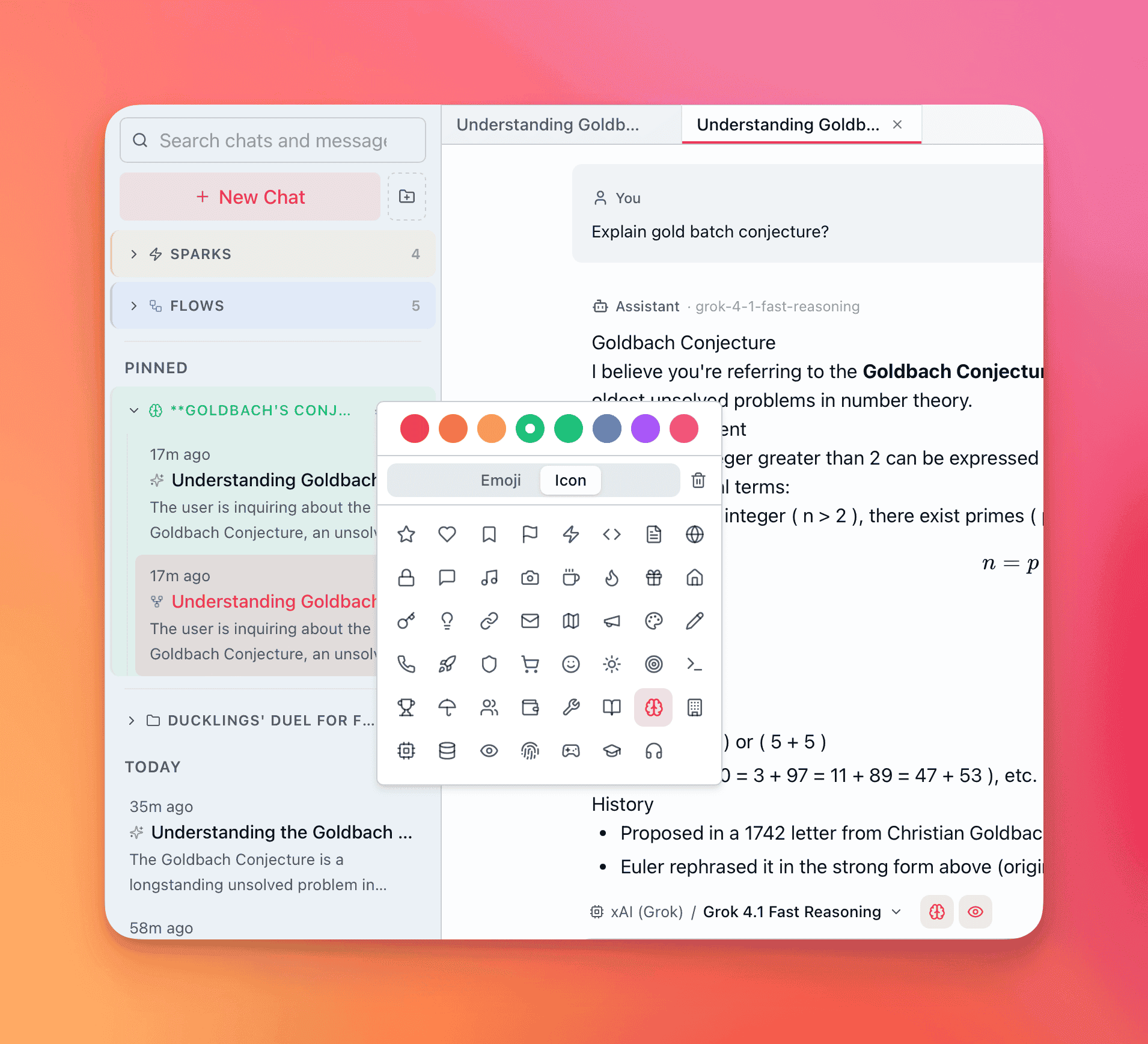
Section titled “Customize groups”Every normal group has two customization axes: color and icon.
Colors
Section titled “Colors”Preset colors, each rendered as a background tint on the group header plus a solid left-border accent:
| Color | Hex |
|---|---|
| Red | #ef4444 |
| Orange | #f97316 |
| Amber | #f59e0b |
| Green | #22c55e |
| Teal | #14b8a6 |
| Blue | #3b82f6 |
| Purple | #a855f7 |
| Pink | #ec4899 |
Two icon sources in the picker:
- Lucide icons — star, heart, bookmark, flag, zap, code, globe, lock, lightbulb, rocket, shield, terminal, trophy, brain, database, and more
- Emoji — curated categories (smileys, gestures, objects, nature, food, etc.)
Auto-naming
Section titled “Auto-naming”Groups are auto-named by the embedded Phi-3.5 Mini model (same as conversation titles). It reads the most recent or pinned conversation in the group and generates a topic name (2–5 words, max 40 characters). Right-click a group → Regenerate Name to get a fresh title.
Pin groups
Section titled “Pin groups”Pinned groups sort above unpinned groups. A pin icon appears next to the name. Toggle from the context menu.
Drag-and-drop
Section titled “Drag-and-drop”- Conversation → group header — moves the conversation into that group
- Conversation → ungrouped area — removes it from its current group
- Conversation → another conversation (both ungrouped) — creates a new group containing both
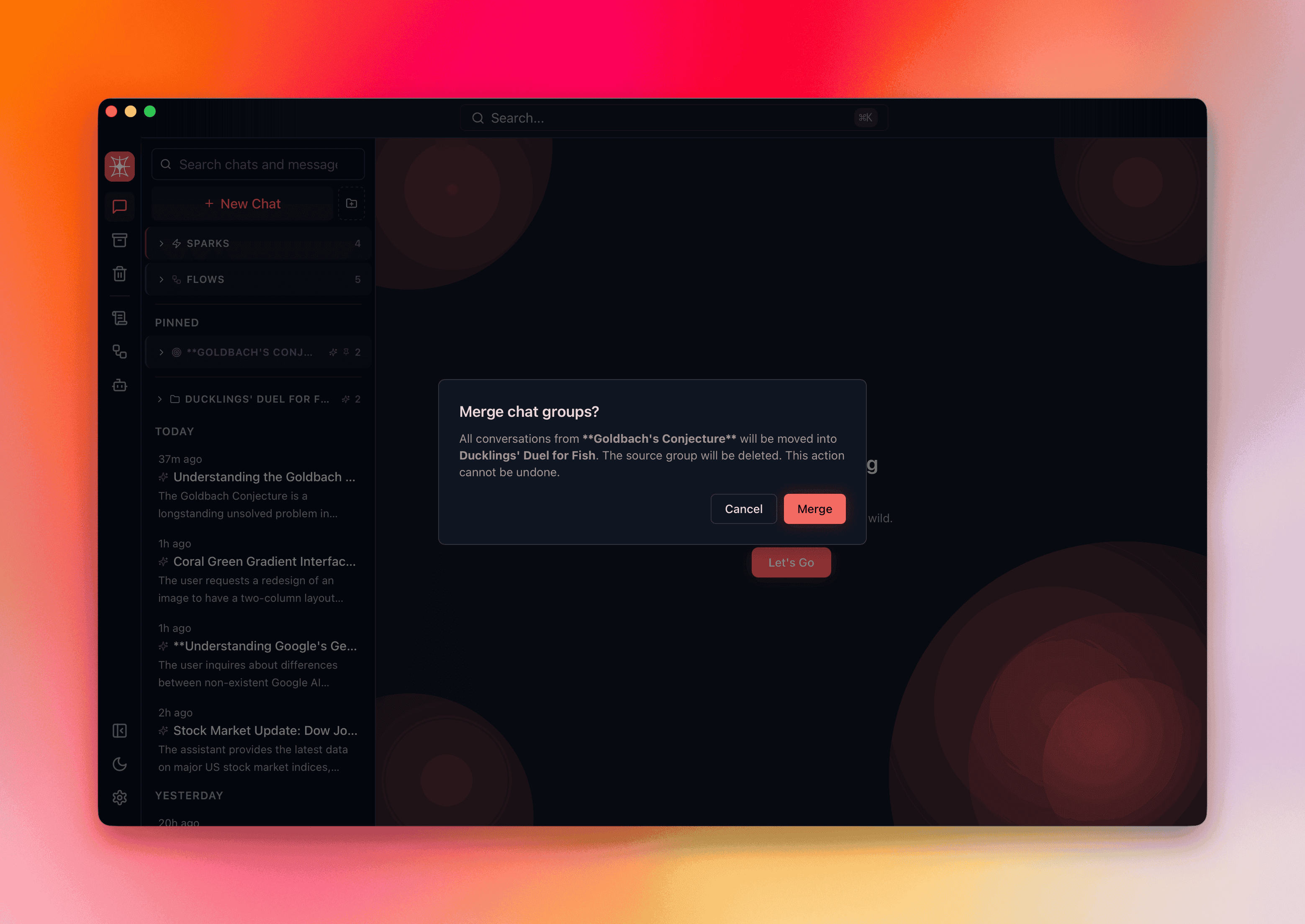
- Group → group — triggers a merge confirmation dialog showing conversation count and which name survives
System groups (Sparks, Flows) are protected from merging.
Group context menu
Section titled “Group context menu”Right-click any group header:
| Action | Effect |
|---|---|
| Rename | Edit the group name inline |
| Regenerate Name | Auto-generate a new name from conversation content |
| Customize | Open the color + icon picker |
| Export Group | Export all conversations (Markdown, HTML, or PDF) |
| Select All | Select every conversation in the group for batch operations |
| Merge With… | Pick another group to merge into this one |
| Pin / Unpin | Toggle pinned status |
| Archive | Archive the group and all its conversations |
| Delete | Move the group and all its conversations to trash |
Sidebar render order
Section titled “Sidebar render order”The sidebar sorts groups and conversations in a fixed priority:
- Pinned ungrouped conversations
- Sparks system group (if non-empty)
- Flows system group (if non-empty)
- Pinned normal groups (sorted by most recent conversation activity)
- Unpinned normal groups (sorted by most recent conversation activity)
- Ungrouped conversations — sorted by date into sections:
- Today
- Yesterday
- Last 7 Days
- Last 30 Days
- Older
Each group remembers its expanded/collapsed state across sessions.
Batch operations
Section titled “Batch operations”With multiple conversations selected (Cmd+Click individual, Shift+Click range):
| Action | Shortcut | Effect |
|---|---|---|
| Group Selected | Cmd+G | Create a new group or move into an existing one |
| Archive Selected | — | Archive all selected conversations |
| Delete Selected | — | Move all selected to trash |
| Ungroup Selected | — | Remove from current groups without deleting |
Batch operations work across groups — select conversations from different groups and move them all at once.