
Search
Every conversation you’ve ever had in QARK is indexed and searchable. Full-text search runs on FTS5, SQLite’s built-in full-text search engine, operating entirely on-device with zero network dependency.
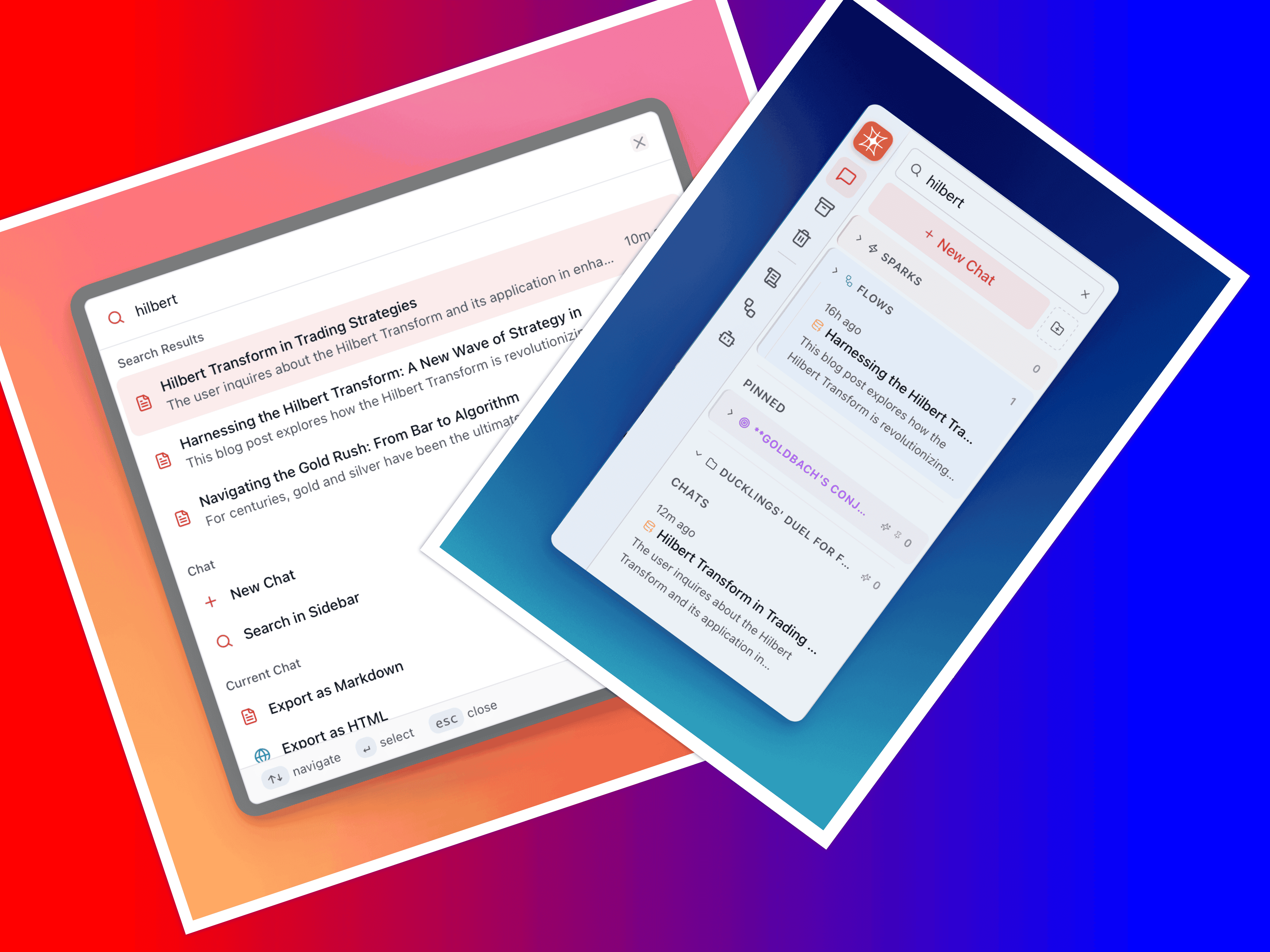
What Gets Indexed
Section titled “What Gets Indexed”QARK indexes 3 categories of content:
- Message content — Every message in every conversation, both yours and the model’s responses
- Conversation titles — The name of each conversation
- Conversation descriptions — Any description metadata attached to a conversation
Your conversation history functions as a searchable knowledge base.
Access Search
Section titled “Access Search”Two entry points:
| Shortcut | Destination |
|---|---|
| Ctrl+K / Cmd+K | Command palette — type 2+ characters to trigger global search |
| Ctrl+F / Cmd+F | Sidebar search — focused search with results listed in the sidebar |
Both methods query the same FTS5 index and return the same results.
Search Behavior
Section titled “Search Behavior”- Minimum query length — 2 characters before search triggers
- Debounced at 200ms — Keystrokes within 200ms of each other batch into a single query, preventing unnecessary searches while you type
- Top 10 results — Returns the 10 most relevant matches, ranked by FTS5 scoring
- Deduplicated — If your query matches 5 different messages within the same conversation, that conversation appears once in the results (not 5 times)
Result Format
Section titled “Result Format”Each search result displays:
- Conversation title — Identifies which conversation contains the match
- Message snippet — The matching portion of the message with search terms highlighted, giving you enough context to determine relevance without opening the conversation
- Date — When the conversation or matching message was created
This format lets you scan results rapidly and open only the conversations that contain what you need.
Search Across Groups and Archives
Section titled “Search Across Groups and Archives”Search queries run against your entire conversation history — not limited to the currently visible sidebar group. This includes:
- Conversations in any group
- Archived conversations
- Ungrouped conversations
The only conversations excluded from search results are those in the trash.
Build a Searchable Knowledge Base
Section titled “Build a Searchable Knowledge Base”Every conversation accumulates information: code snippets, debugging sessions, research notes, configuration details, decision rationale. With full-text search indexing all of this content automatically, your QARK history functions as a personal knowledge base.
Practical patterns:
- Retrieve past solutions — Search for an error message you solved 3 months ago and find the exact conversation with the fix
- Find configuration details — Search for a service name to locate the conversation where you worked out the deployment setup
- Locate reference material — Search for a concept or library name to find every conversation where it was discussed
- Audit decisions — Search for a project name to trace the conversations that led to a particular architecture choice
Every message is indexed the moment it’s saved.