Providers
QARK supports multiple providers. You connect them with your own API keys — every request goes directly from your machine to the provider’s endpoint. No QARK account, no proxy, no telemetry.
Bring Your Own Key (BYOK)
Section titled “Bring Your Own Key (BYOK)”QARK does not proxy API calls. Your prompts and responses travel directly to the provider. You pay the provider’s rate. Keys are encrypted with AES-256 on disk.
- Direct connection — nothing passes through QARK’s servers
- No account — download, paste a key, start working
- No lock-in — switch providers or models per-conversation
- Local encryption — AES-256 for every stored key
Provider capabilities
Section titled “Provider capabilities”Each provider supports one or more capabilities. Connect multiple providers to use different ones for different tasks — one for chat, another for embeddings, a third for image generation.
| Capability | What it powers | Providers |
|---|---|---|
| Chat | Conversations, agents, tool use, reasoning, vision | Anthropic, OpenAI, Gemini, Groq, Together AI, xAI, OpenRouter, Perplexity, DeepSeek, Ollama, LM Studio |
| Embedding | RAG document indexing, semantic search | OpenAI, Gemini, Together AI, Voyage AI, Jina AI, OpenRouter, Ollama, LM Studio |
| Reranking | Cross-encoder re-scoring for RAG accuracy | Voyage AI, Jina AI |
| Image generation | Text-to-image within conversations | OpenAI, Gemini, xAI, OpenRouter |
| Video generation | Text-to-video within conversations | OpenAI, Gemini, xAI |
| Local | On-device models — zero API cost, full privacy | Ollama, LM Studio |
OpenRouter acts as an aggregator — it provides access to models from multiple providers through a single API key, including chat, embedding, and image generation models.
Connecting a provider
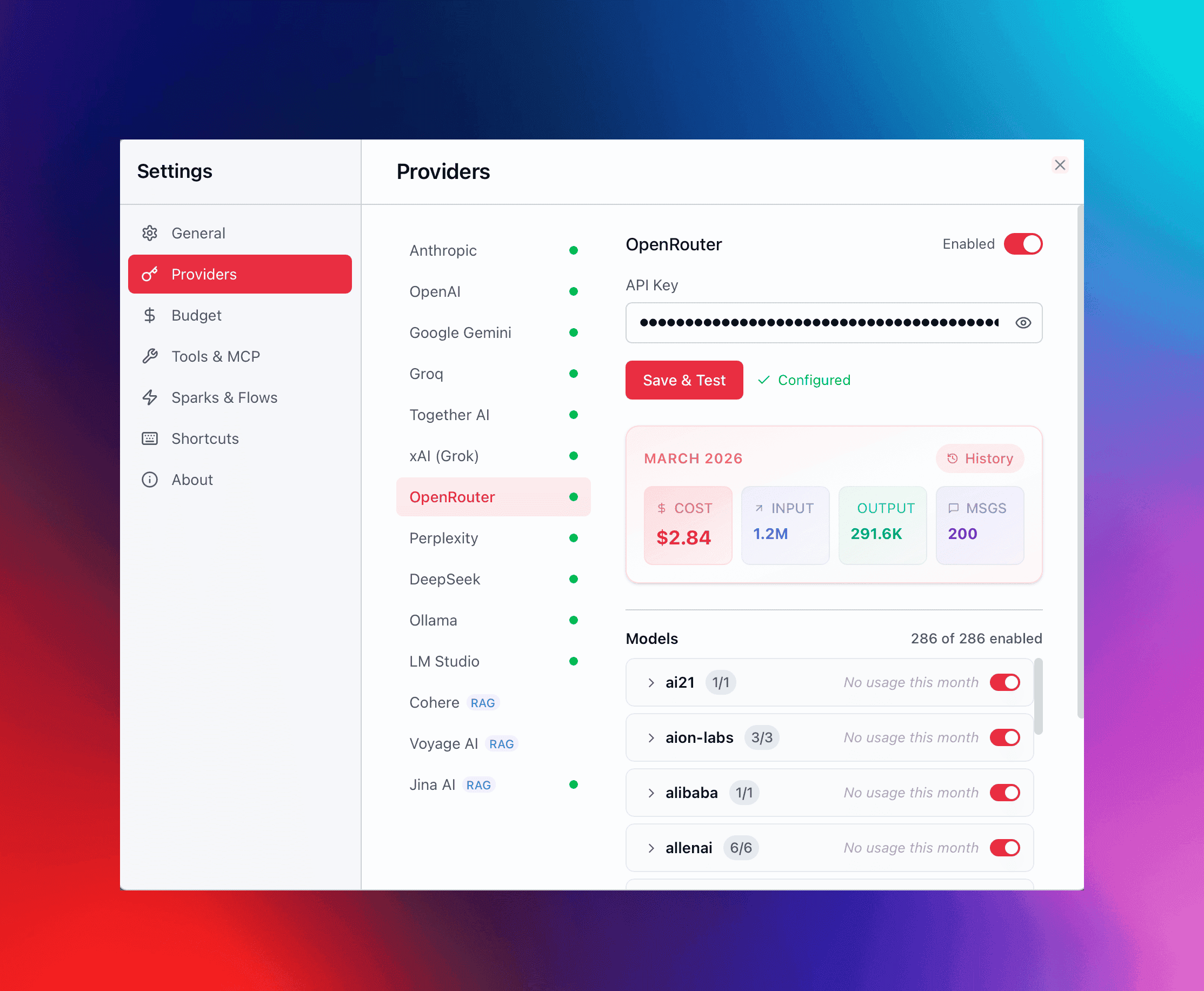
Section titled “Connecting a provider”- Open Settings → Providers.
- Select a provider and paste your API key.
- QARK validates the key and fetches the model list automatically (cached for 5 minutes).
- All models from that provider become available across conversations immediately.
You can connect as many providers as you want simultaneously. Use different providers for different roles — assign default models per category (chat, embedding, reranking, image generation, etc.) in Settings → Providers → Model Defaults.