
Tools
QARK ships with a set of built-in tools covering search, generation, document analysis, and system access. Type @ followed by the tool name in the composer to make it available for the current message — the agent decides when and how to use it during its response.
Built-in Tool Reference
Section titled “Built-in Tool Reference”| Tool | @Trigger | What It Does |
|---|---|---|
| Thinking | @thinking | Chain-of-thought reasoning with expandable blocks and separate token tracking |
| Web Search | @web-search | Search the web via local browser, provider built-in, or external APIs |
| Web Fetch | @web-fetch | Fetch and extract content from any URL with automatic HTML-to-markdown conversion |
| Document Search | @document-search | Search attached documents with semantic, HyDE, and step-back query strategies |
| Image Generation | @image-generation | Generate images across OpenAI (GPT Image), Google (Imagen 4, Nano Banana), xAI (Grok Imagine), and OpenRouter (FLUX, Seedream, Riverflow) |
| Video Generation | @video-generation | Generate videos across OpenAI (Sora 2), Google (Veo 2/3/3.1), and xAI (Grok Imagine Video) |
| Unix Commands | @unix-commands | Sandboxed read-only access to your filesystem and system state — search, list, read, inspect |
| Combine Files | @combine-files | Merge multiple text files into a single output file — a pipeline utility for multi-step workflows |
| Save Paper PDF | @save-paper-pdf | Convert markdown content into a styled academic PDF with sections, references, and figures |
Tool Turn Limits
Section titled “Tool Turn Limits”The number of consecutive tool calls the agent can make in a single response depends on which tools are active:
| Configuration | Turn Limit |
|---|---|
| Default (standard tools) | 10 |
| Unix commands enabled | 20 |
| Agent-tools or MCP tools active | 50 |
Tool Call Blocks
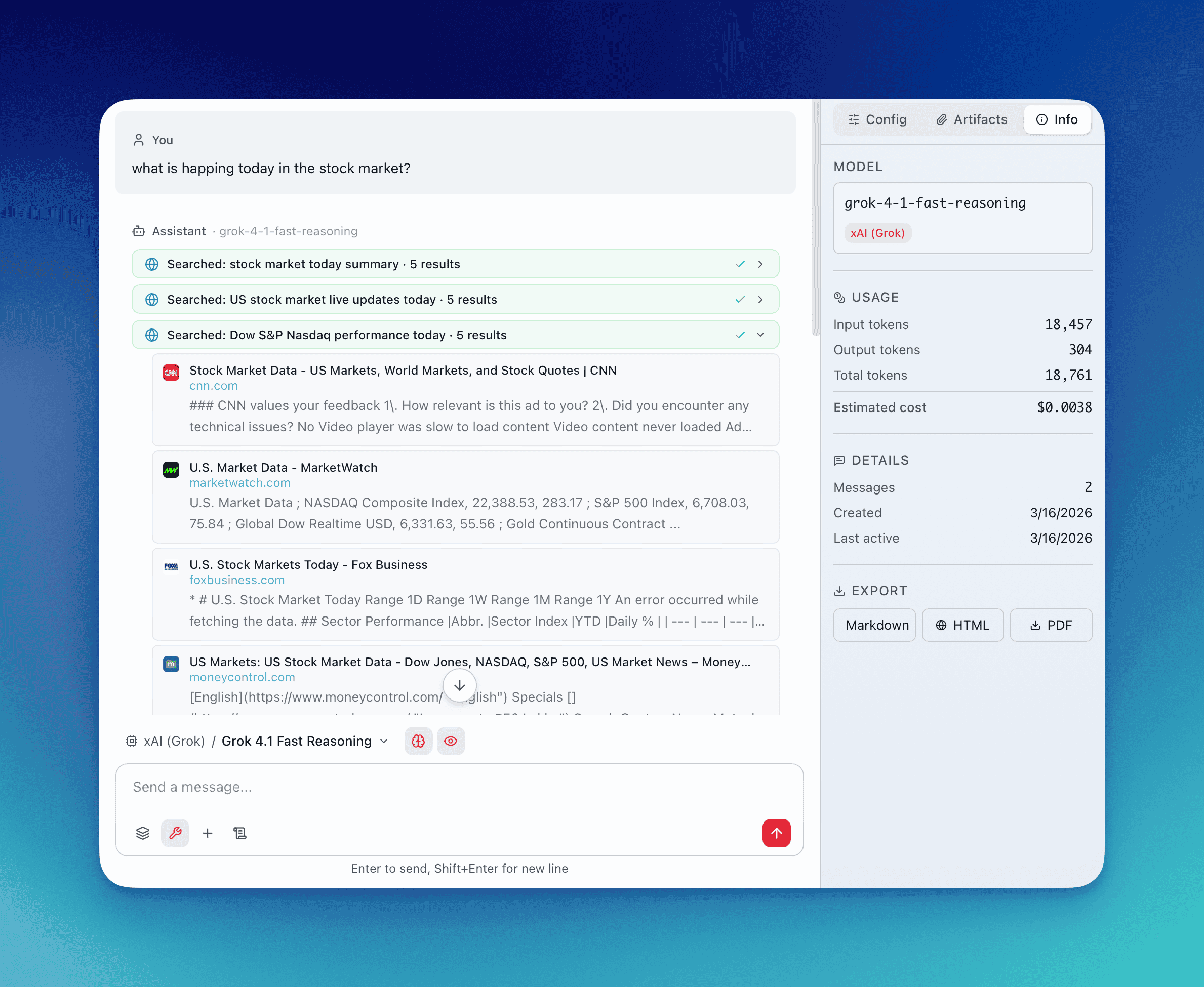
Section titled “Tool Call Blocks”Every tool invocation renders as a collapsible block in the conversation. Each block shows:
- Color-coded icon — purple for thinking, blue for web search, cyan for fetch, emerald for document search, plus distinct colors for each other tool type
- Status indicator — spinner while running, checkmark on success, warning on failure
- Expandable output — click to reveal the full tool input and output
Extend with MCP
Section titled “Extend with MCP”Beyond built-in tools, QARK supports extensions through the Model Context Protocol (MCP). Connect any MCP-compatible server to add domain-specific tools — databases, APIs, internal services, custom workflows — all accessible through the same @ trigger interface. See MCP Integration for setup details.