
Image Generation
Type @image-generation followed by a description to generate images directly in the conversation. The result renders inline — click to expand in a lightbox, or download to your filesystem.
Backends and Models
Section titled “Backends and Models”QARK connects to 4 image generation providers. Configure your default in Settings → Image Generation, or override per conversation. Each provider requires its own API key in Settings → Providers.
OpenAI
Section titled “OpenAI”| Model | Description | Quality Tiers | Price Range |
|---|---|---|---|
| GPT Image 1.5 | Fastest OpenAI model — 4× faster generation, improved text rendering and edit consistency | Low / Medium / High | $0.009–$0.200 |
| GPT Image 1 | High quality output across multiple quality tiers | Low / Medium / High | $0.011–$0.250 |
| GPT Image 1 Mini | Budget tier — 50–70% cheaper than GPT Image 1 for high-volume use | Low / Medium / High | $0.005–$0.078 |
| DALL-E 3 (deprecated) | Being sunset May 12, 2026. Use GPT Image 1 or 1.5 instead | Standard / HD | $0.040–$0.120 |
Supported sizes: 1024×1024, 1024×1536, 1536×1024 (DALL-E 3 uses 1024×1792, 1792×1024).
Google Gemini
Section titled “Google Gemini”| Model | Description | Price per Image |
|---|---|---|
| Imagen 4 | High-quality output with strong prompt adherence and rich detail | $0.040 |
| Imagen 4 Ultra | Enhanced realism, fine-grained details, superior text rendering | $0.060 |
| Imagen 4 Fast | Speed-optimized variant for high-throughput use at reduced cost | $0.020 |
| Nano Banana (Gemini 2.5 Flash Image) | Fast, efficient generation for high-volume, low-latency tasks | $0.039 |
| Nano Banana 2 (Gemini 3.1 Flash Image) | Pro-level visual quality at Flash speed with advanced contextual understanding | $0.045–$0.151 |
| Nano Banana Pro (Gemini 3 Pro Image) | Professional asset production with high-fidelity text rendering | $0.134–$0.240 |
Nano Banana 2 and Pro support resolutions up to 4096×4096. Imagen models output at 1024×1024. All Gemini models support aspect ratios including 1:1, 3:4, 4:3, 9:16, 16:9.
| Model | Description | Price per Image |
|---|---|---|
| Grok Imagine Image | Diverse styles from ultra-realistic to anime, oil paintings, pencil sketches | $0.020 |
| Grok Imagine Image Pro | Higher quality output with more detailed rendering | $0.070 |
Both support 1K and 2K resolution with aspect ratios 1:1, 16:9, 9:16, 4:3, 3:4, 3:2, 2:3.
OpenRouter
Section titled “OpenRouter”OpenRouter routes to multiple image models from different providers through a single API key:
| Model | Description | Price per Image |
|---|---|---|
| Nano Banana via OpenRouter | Gemini 2.5 Flash Image through OpenRouter | $0.039 |
| Nano Banana 2 via OpenRouter | Gemini 3.1 Flash Image through OpenRouter | $0.045–$0.151 |
| Nano Banana Pro via OpenRouter | Gemini 3 Pro Image through OpenRouter | $0.134–$0.240 |
| Seedream 4.5 (ByteDance) | Excellent editing consistency, portrait refinement, small-text rendering | $0.040 |
| FLUX.2 Klein 4B | Fastest and cheapest Flux model for high-throughput use | $0.014 |
| FLUX.2 Flex | Excels at complex text, typography, and fine details | $0.060 |
| FLUX.2 Pro | Frontier-level visual quality with strong prompt adherence | $0.030 |
| FLUX.2 Max | Top-tier Flux model — highest image quality and prompt understanding | $0.070 |
| Riverflow V2 Pro (Sourceful) | Top-tier control, perfect text rendering, integrated reasoning | $0.150–$0.330 |
| Riverflow V2 Fast (Sourceful) | Fastest Sourceful model for latency-critical workflows | $0.020–$0.040 |
Configure Defaults and Overrides
Section titled “Configure Defaults and Overrides”Default backend: Set in Settings. All new conversations use this backend unless overridden.
Per-conversation override: Change the active backend within a conversation to use a different provider for specific tasks without altering your global default.
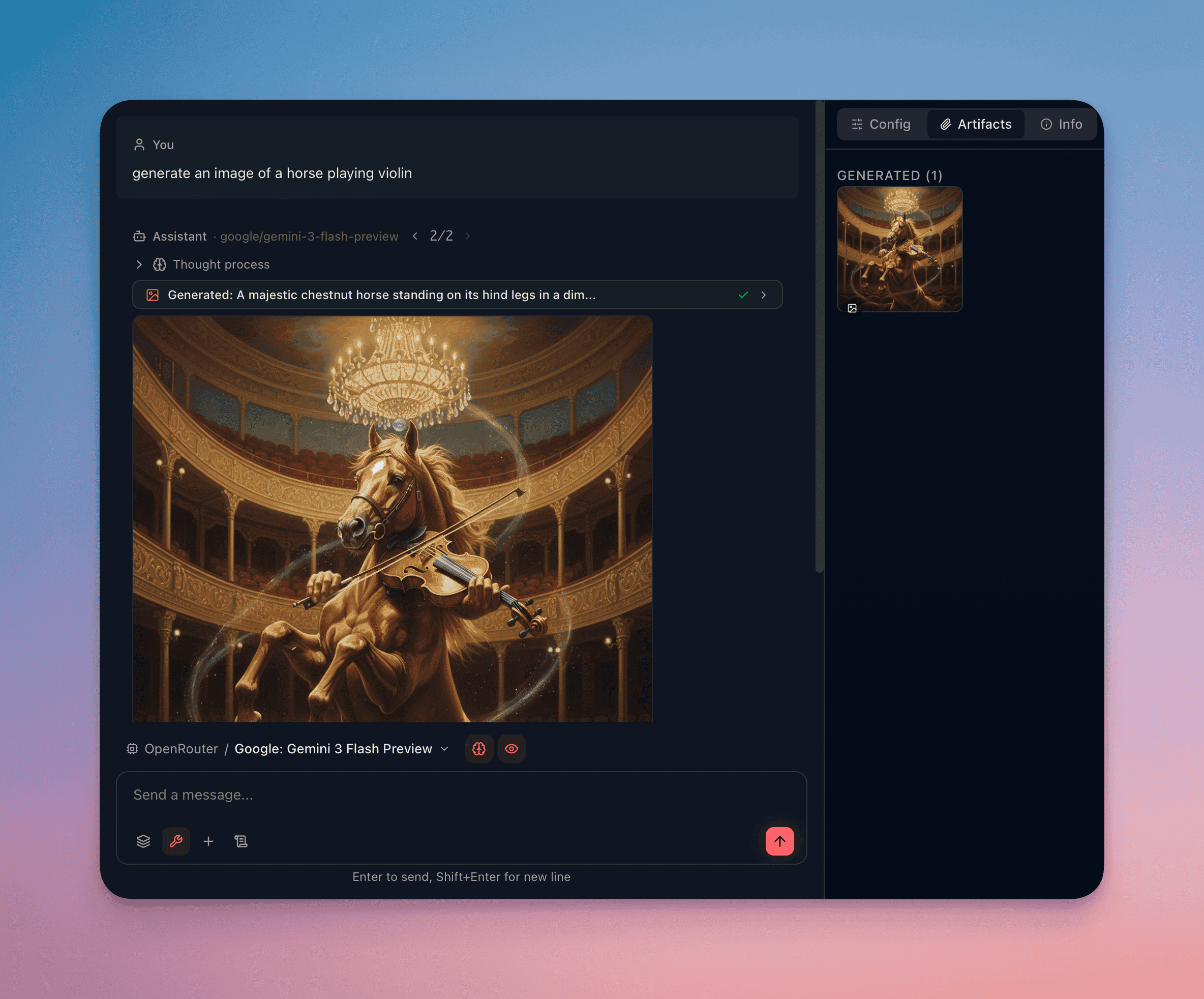
View Generated Images
Section titled “View Generated Images”Generated images render inline in the conversation with:
- Lightbox preview — click the image to expand it to full resolution in an overlay
- Download button — save the generated image to your local filesystem
- Generation metadata — visible below the image: backend used, model, resolution, and generation time
Write Effective Prompts
Section titled “Write Effective Prompts”Specify Visual Details
Section titled “Specify Visual Details”Instead of “a cat,” describe the scene: “A tabby cat sitting on a windowsill at golden hour, watercolor style, warm tones, soft lighting.”
Declare the Style
Section titled “Declare the Style”Name the artistic style explicitly: photograph, oil painting, pixel art, technical diagram, isometric illustration, charcoal sketch, 3D render.
Set the Composition
Section titled “Set the Composition”Describe framing and perspective: close-up, wide shot, bird’s-eye view, centered subject, rule of thirds, negative space.
State What to Exclude
Section titled “State What to Exclude”If the model supports negative prompting, specify what you don’t want: “No text overlays, no watermarks, no borders.”
Iterate on Results
Section titled “Iterate on Results”Generate a first version, then refine. Reference the previous result in your follow-up: “Same composition but change the background to a mountain landscape” or “Make the lighting more dramatic.”
Combine with Other Tools
Section titled “Combine with Other Tools”- Web search + image generation — search for visual references, then generate variations
- Document search + image generation — extract descriptions from documents and generate corresponding visuals
- Thinking + image generation — enable thinking to have the agent refine your prompt before generating, improving first-attempt quality