
MCP Tools
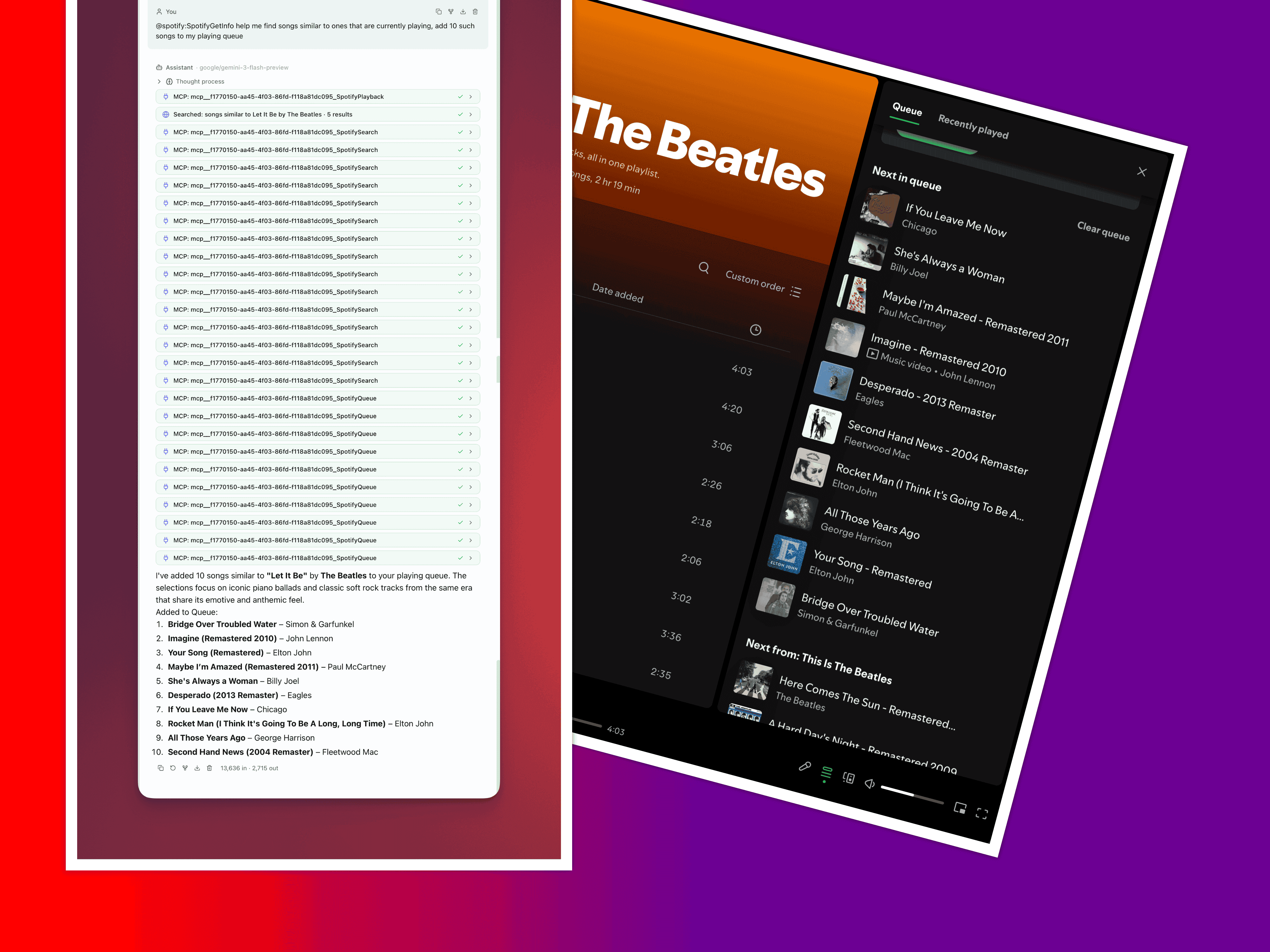
MCP tools are capabilities exposed by connected Model Context Protocol servers. Once a server is connected and its tools discovered, those tools appear in the @mention popover alongside built-in tools — available for agents to invoke during any conversation.
For server setup, transport configuration, and JSON import, see MCP Integration.
Namespaced @Mentions
Section titled “Namespaced @Mentions”MCP tools use a namespaced format to avoid collisions between servers:
mcp:<server_id>:<tool_name>For example, a “github” server exposing a create_issue tool appears as:
@mcp:github:create_issueType @mcp in the composer to filter the popover to MCP tools only. Continue typing the server name or tool name to narrow results. Select a tool to make it available for that message — the agent decides when and how to invoke it during its response.
Tool Schemas
Section titled “Tool Schemas”Every MCP tool exposes its full input schema to QARK. You can inspect schemas in two places:
- @mention popover — hover or select a tool to see its parameters
- Settings → MCP Servers → [Server] → Tools — browse all discovered tools with their full schemas
| Property | Description |
|---|---|
| Name | The tool’s identifier within its server |
| Description | What the tool does — visible to both you and the model |
| Input schema | Typed parameters with names, types, descriptions, and required/optional markers (JSON Schema) |
The model reads these schemas at runtime to construct valid tool calls. Accurate schemas from the server lead to fewer errors and more reliable invocations.
Per-Server Tool Control
Section titled “Per-Server Tool Control”Not every tool from every server needs to be active. In Settings → MCP Servers → [Server] → Tools:
- Toggle individual tools on or off — disabled tools are hidden from the model and the @mention popover
- Bulk toggle all tools for a server
Disabling unused tools reduces noise in the model’s tool list, lowers token overhead, and keeps the agent focused on tools relevant to the current task.
You can also control which MCP tools are available per conversation in the Info Panel → Config tab → Enabled Tools section.
Tool Turn Limit
Section titled “Tool Turn Limit”When MCP tools are active in a message, QARK elevates the tool turn limit to 50 for that response (compared to 10 for built-in tools and 20 with unix commands). This gives agents room to orchestrate multi-step workflows — querying a database, processing results, calling an external API, then writing output — without hitting the turn cap.
Chaining Multiple Servers
Section titled “Chaining Multiple Servers”Attach tools from multiple MCP servers in a single message. The agent can read from a database server, pass results through a computation tool, and post output to a messaging server — all within the same 50-turn response. Each tool call routes to the correct server based on the namespace prefix.
Connection Awareness
Section titled “Connection Awareness”MCP tools are only available when their server is in the Connected state. If a server disconnects or encounters an error mid-conversation, its tools become unavailable for subsequent messages. Reconnect the server from Settings → MCP Servers to restore access.
Tool names discovered from each server are cached in the database, so the settings UI shows which tools a server provides even when disconnected. But the tools themselves can only be invoked while the server is actively connected.