
Save Paper PDF
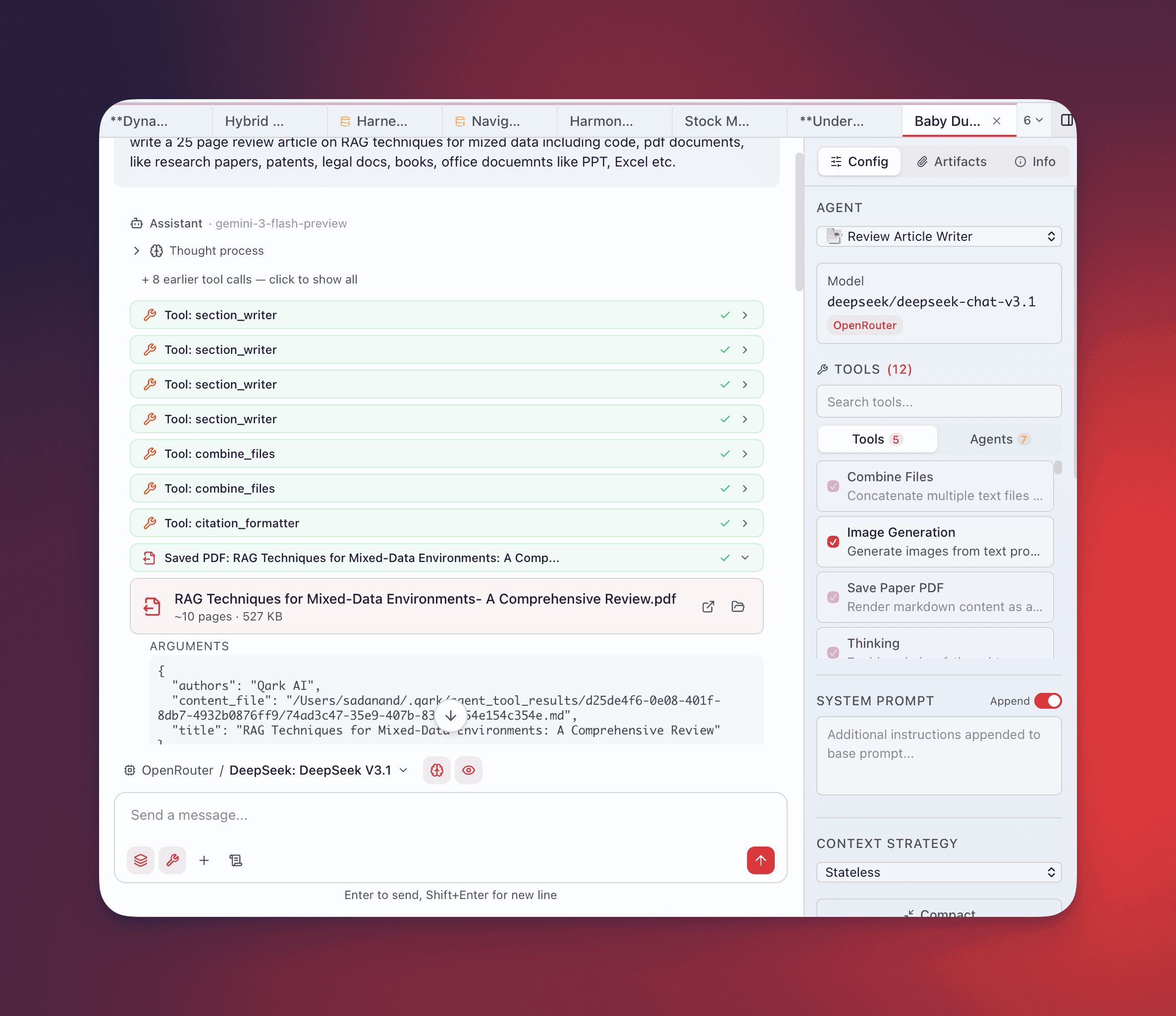
Type @save-paper-pdf in the composer to generate a styled academic PDF from markdown content. The agent provides a title and markdown body, QARK renders it through a self-contained HTML pipeline with headless Chrome, and saves the result to your local filesystem.
Parameters
Section titled “Parameters”The tool accepts these fields:
| Parameter | Required | Description |
|---|---|---|
title | Yes | Paper title — displayed on the title page and used as the default filename |
content | No | Inline markdown content for the paper body |
content_file | No | Path to a markdown file on disk — takes precedence over content if both are provided |
authors | No | Author attribution line (defaults to “Qark AI”) |
filename | No | Output filename without extension (defaults to the title, sanitized) |
Either content or content_file must be provided. When the agent has already written research to a file using another tool (like Combine Files), it can pass that file path directly via content_file instead of repeating the content inline.
Rendering Pipeline
Section titled “Rendering Pipeline”QARK builds a self-contained HTML document with all processing assets embedded at compile time — no network requests needed during rendering:
- HTML assembly — The markdown content is placed inside a
<script type="text/markdown">block within a full HTML page that includes embedded copies of marked.js, KaTeX CSS, KaTeX JS, and the auto-render extension - Client-side parsing — When the HTML loads, marked.js converts the raw markdown to HTML, then KaTeX renders all math expressions (both inline
$...$and block$$...$$) - Post-processing — Headings are auto-numbered (
1.,1.1,2., etc.), with special handling to skip numbering for Abstract, References, and Bibliography sections. Reference lists using[N]patterns are auto-formatted - PDF rendering — QARK locates a Chromium-based browser on your system (Chrome, Brave, Edge, or Chromium) and runs it in headless mode with
--print-to-pdfto produce the final document
Output
Section titled “Output”PDFs are saved to ~/Documents/Qark Papers/ with two files:
{filename}.pdf— The rendered PDF document{filename}.md— The markdown source with a header block containing title, authors, and generation date
The tool returns metadata after generation:
| Field | Description |
|---|---|
path | Full path to the saved PDF |
markdown_path | Full path to the saved markdown source |
filename | The sanitized filename used |
file_size_bytes | PDF file size |
page_count_estimate | Estimated page count (word count / 300) |
What the PDF Includes
Section titled “What the PDF Includes”- Title page with title, author line, and date
- Auto-numbered sections from markdown headings —
#→1.,##→1.1,###→1.1.1 - Math rendering via KaTeX — inline expressions with
$...$, display blocks with$$...$$ - Code blocks with syntax formatting
- Tables, lists, blockquotes — standard markdown elements
- References section —
[1],[2]style citations auto-formatted into a bibliography list - Page numbers in the footer
Screenshot: Generated PDF showing title page, numbered sections, math equations, and bibliography
Use Cases
Section titled “Use Cases”Research Reports
Section titled “Research Reports”Run a multi-turn research session with web searches and document analysis, then have the agent compile findings into a formatted PDF you can share with colleagues who don’t have access to QARK.
Technical Write-ups
Section titled “Technical Write-ups”After a long analysis session, distill key findings into a paginated document with proper section structure, code blocks, and references.
Pipeline Output
Section titled “Pipeline Output”Combine this tool with others in agent workflows. An agent can use Combine Files to merge source material into a single file, then pass that file path to Save Paper PDF via content_file to produce a polished document — without repeating content through the conversation context.
Math-Heavy Content
Section titled “Math-Heavy Content”The embedded KaTeX support handles equations natively, making this suitable for technical and scientific content where inline and display math are needed throughout the document.