
Unix Commands
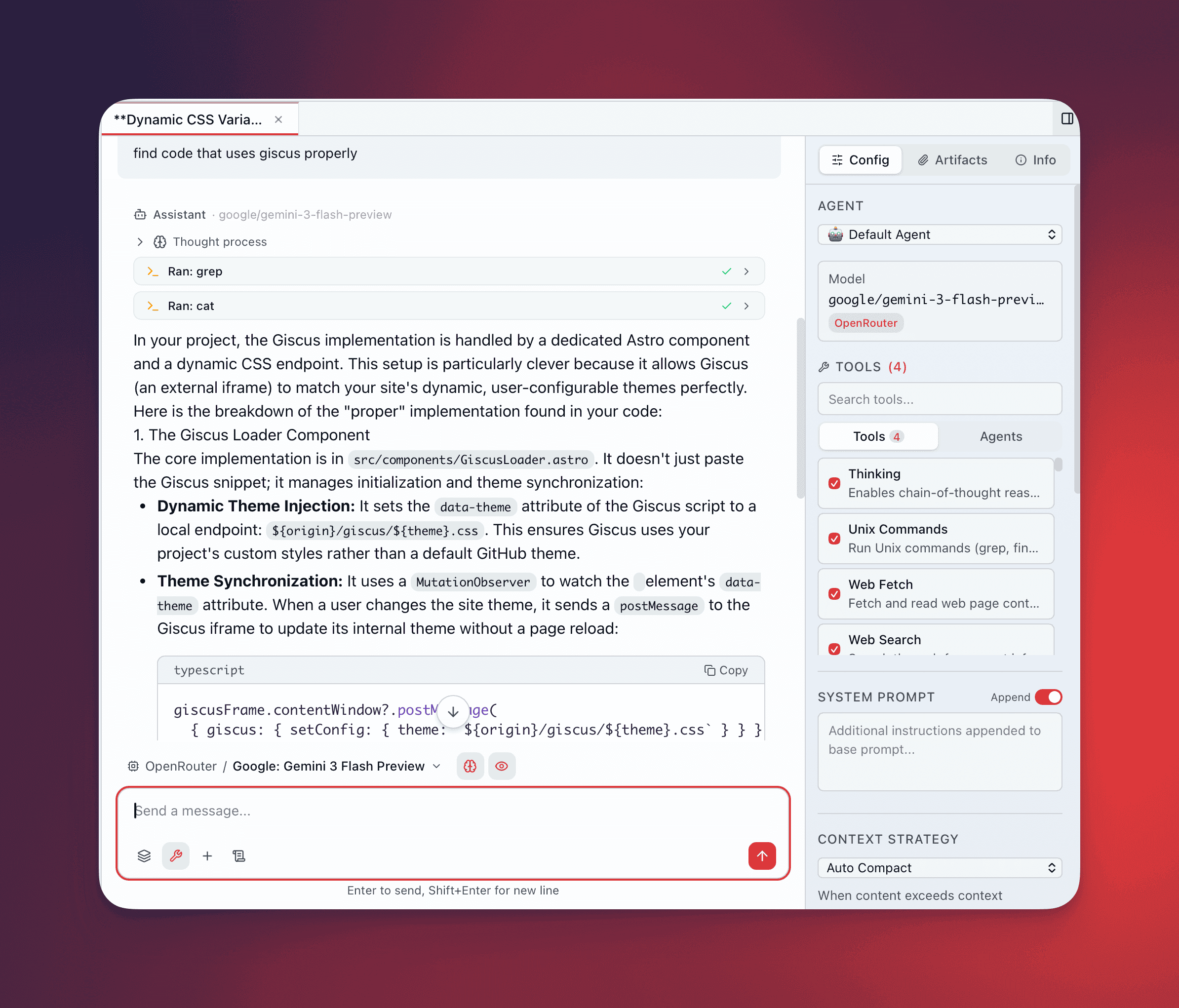
Type @unix-commands in the composer to give the agent read-only access to your filesystem and system state. The agent can search files, browse directories, read contents, process text, and inspect system resources — but cannot modify, create, or delete anything.
How It Works
Section titled “How It Works”The model doesn’t construct raw shell commands. Instead, QARK exposes a single tool with a typed JSON schema. The model selects a command name and fills in structured parameters (path, pattern, flags as booleans), and QARK’s backend maps those parameters to safe CLI arguments through per-command typed structs. This prevents injection — the model never writes a raw command string.
For example, when the model wants to search for a pattern, it sends:
{ "command": "grep", "pattern": "TODO", "path": "/Users/me/project/src", "recursive": true, "case_insensitive": true}QARK’s backend deserializes this into a typed GrepArgs struct, converts it to grep -r -i -- TODO /Users/me/project/src, and executes it in a controlled subprocess. Shell metacharacters (|, ;, &&, `, $(, >, <) are rejected in all string arguments.
Available Commands
Section titled “Available Commands”File Operations
Section titled “File Operations”| Command | What It Does |
|---|---|
ls | List directory contents — supports hidden files, long format, recursive, sort by time or size |
cat | Display file contents — accepts multiple files, optional line numbering |
head | Show the first N lines of a file (default 10) |
tail | Show the last N lines of a file (default 10) |
grep | Search file contents by regex pattern — recursive, case-insensitive, include/exclude globs, max count |
find | Locate files by name pattern, type (file/directory/symlink), size, modification time, with depth limits |
wc | Count lines, words, or characters in a file |
Text Processing
Section titled “Text Processing”| Command | What It Does |
|---|---|
sed | Stream editor — apply substitution expressions to file content (output only, no in-place editing) |
awk | Pattern scanning — run awk programs against files for field extraction and transformation |
sort | Sort file lines — numeric, reverse, by field, with deduplication |
uniq | Filter or count duplicate lines — show counts, duplicates only, or unique only |
cut | Extract fields or character ranges from file lines |
System Monitoring
Section titled “System Monitoring”| Command | What It Does |
|---|---|
ps | List running processes — sort by CPU or memory, filter by user |
uptime | Show system uptime and load averages |
df | Report filesystem disk space — human-readable, inode mode |
du | Estimate directory sizes — summary, max depth, human-readable |
meminfo | RAM and swap usage — runs vm_stat on macOS, free on Linux |
sysctl | Hardware specs — CPU model, core count, total RAM (macOS: sysctl, Linux: /proc) |
Read-Only Sandbox
Section titled “Read-Only Sandbox”Output is truncated at 100KB to prevent context overflow. Commands time out after 30 seconds.
Configure the Working Directory
Section titled “Configure the Working Directory”Commands resolve the working directory in this order:
- Per-call override — the model can specify a
working_directoryin the tool call - Per-conversation override — set via
unix_working_dirin the conversation’s config overrides - Global setting — configured in Settings → General → Default Working Directory
- Fallback —
$HOME
Tilde expansion (~/) works in all path arguments — QARK expands it before execution since commands run without a shell.
Elevated Tool Turns
Section titled “Elevated Tool Turns”When @unix-commands is active, QARK elevates the tool turn limit to 20 for that response. This allows the agent to chain multiple commands — locate files, search their contents, then read the matches — without hitting the default 10-turn cap.
Use Cases
Section titled “Use Cases”Explore a Codebase
Section titled “Explore a Codebase”Ask the agent to map out a project’s structure, find all files matching a pattern, or search for specific function definitions across hundreds of files — without leaving the conversation.
Analyze Logs
Section titled “Analyze Logs”Point the agent at a log directory and let it search for error patterns, count occurrences, or filter by timestamp ranges. Chain grep → sort → uniq to aggregate results.
Monitor System State
Section titled “Monitor System State”Check running processes, inspect disk usage, query memory and CPU specs, or verify that a service is running — all from the same conversation where you’re discussing the issue.
Process Text Data
Section titled “Process Text Data”Extract fields from CSV files with cut, transform output with awk, filter duplicates with sort and uniq, or apply substitutions with sed — all read-only, all sandboxed.