
Web Fetch
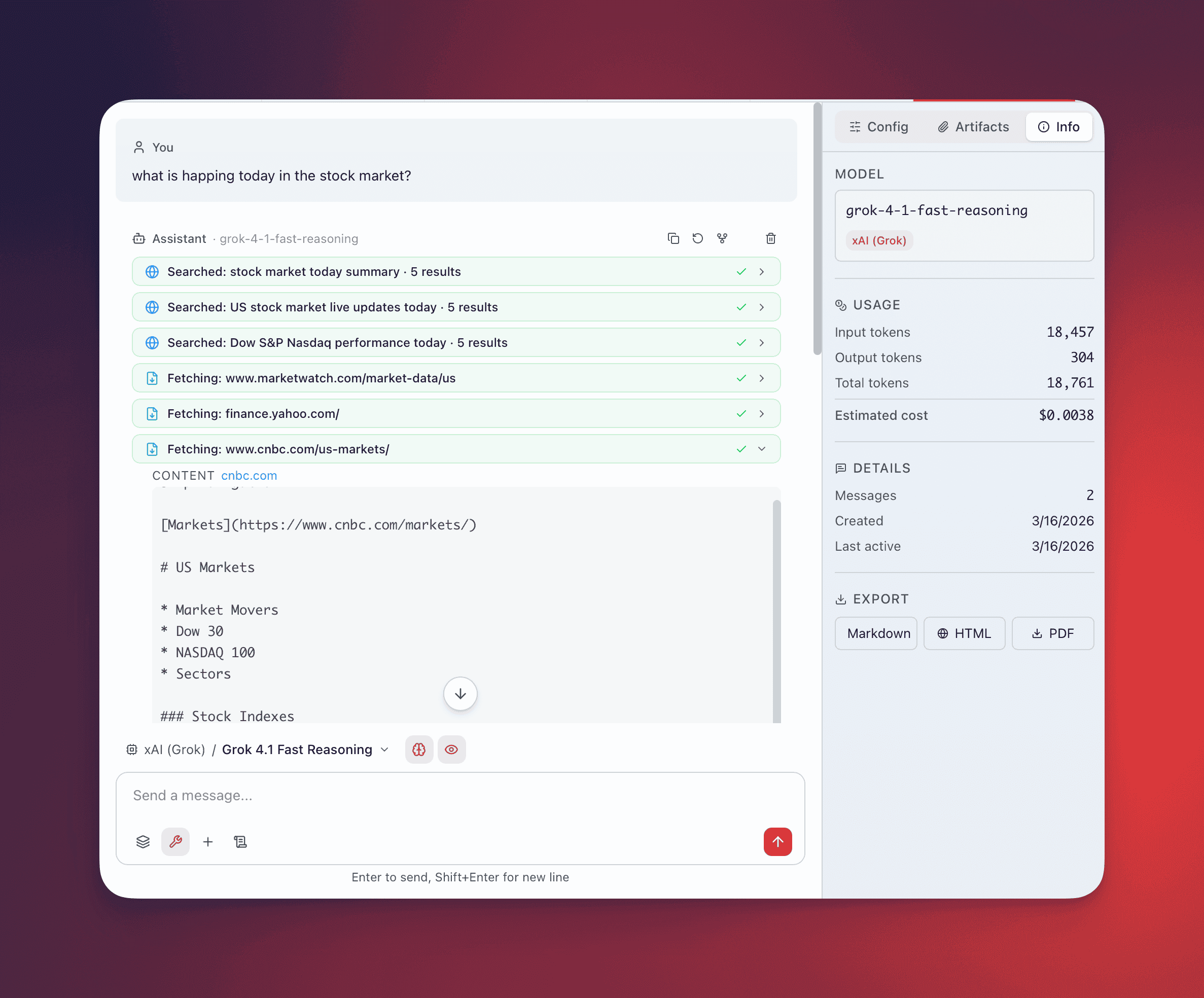
Type @web-fetch followed by a URL to pull page content into your conversation. QARK converts web pages into clean, readable text — stripping navigation, ads, and chrome — so the agent can reason over the actual content.
Local Browser Fetch
Section titled “Local Browser Fetch”Cost: Free. Uses the same headless browser as Web Search.
Launches your installed Chromium-based browser (Chrome, Brave, Edge, Chromium) in headless mode to load the full page, render JavaScript, dump the complete DOM, and convert it to clean text.
Use this for SPAs, lazy-loaded content, and JavaScript-dependent layouts. The browser is auto-detected from installed applications. Configure a custom browser path in Settings if needed.
Generic HTTP Fetcher
Section titled “Generic HTTP Fetcher”Cost: Free. Always available on every installation. No API key needed.
Performs a pure HTTP GET request and converts the raw HTML to markdown: strips <script>, <style>, <nav>, <header>, <footer>, converts block elements to structured markdown, decodes HTML entities, and collapses excessive whitespace.
Does not render JavaScript. SPAs, dynamically loaded content, and client-side rendered pages return incomplete or empty content. Does not handle JavaScript redirects, authentication, or cookies.
This fetcher serves as the ultimate fallback — it’s always the last provider in the chain, so fetch never fails completely.
External Fetch APIs
Section titled “External Fetch APIs”Dedicated content extraction services that return polished, markdown-ready output. Each requires its own API key.
| Provider | Output Format | Notes |
|---|---|---|
| Jina Reader | Markdown-ready content | Optimized for article extraction, handles paywalls where possible |
| Tavily Extract | Structured content | AI-optimized extraction with metadata |
| Parallel AI | Clean text | Multi-format support |
| Valyu | Structured content | Enterprise-grade extraction |
Priority and Fallback
Section titled “Priority and Fallback”QARK tries fetch providers in the order you configure in Settings. On failure, it falls through to the next provider. The generic HTTP fetcher is always the last resort — even if every API key is missing and the local browser is unavailable, the HTTP fetcher returns whatever content it can extract from the raw HTML.
Automatic Compression
Section titled “Automatic Compression”When fetched content exceeds 60% of the conversation’s context window, QARK triggers automatic compression:
- The LLM compresses the content down to a 20% target of the context window
- Compression preserves: facts, numbers, code snippets, key details, and structural hierarchy
- If LLM compression fails, QARK applies hard truncation as a fallback
- Compression cost is tracked as a separate line item in the cost ledger
This prevents a single large page from consuming the entire context budget while retaining the information that matters.
URL Display
Section titled “URL Display”Fetched URLs display in a compact format: domain + first 30 characters of the path. Hover to see the full URL. The fetched content renders as a collapsible block — expand to read the full extraction, collapse to keep the conversation focused.
Use Cases
Section titled “Use Cases”- Articles and blog posts — extract the body text without sidebars, popups, and cookie banners
- Documentation pages — pull reference material into the conversation for the agent to reason over
- Release notes and changelogs — get structured version history from GitHub, product blogs, or docs sites
- Research papers — extract abstract, methodology, and findings from academic pages
- API documentation — fetch endpoint specs, parameter lists, and example responses