
Web Search
Type @web-search followed by your query to pull live web results directly into the conversation. QARK supports several search backends — from a free local browser to dedicated search APIs — and tries them in priority order until one returns results.
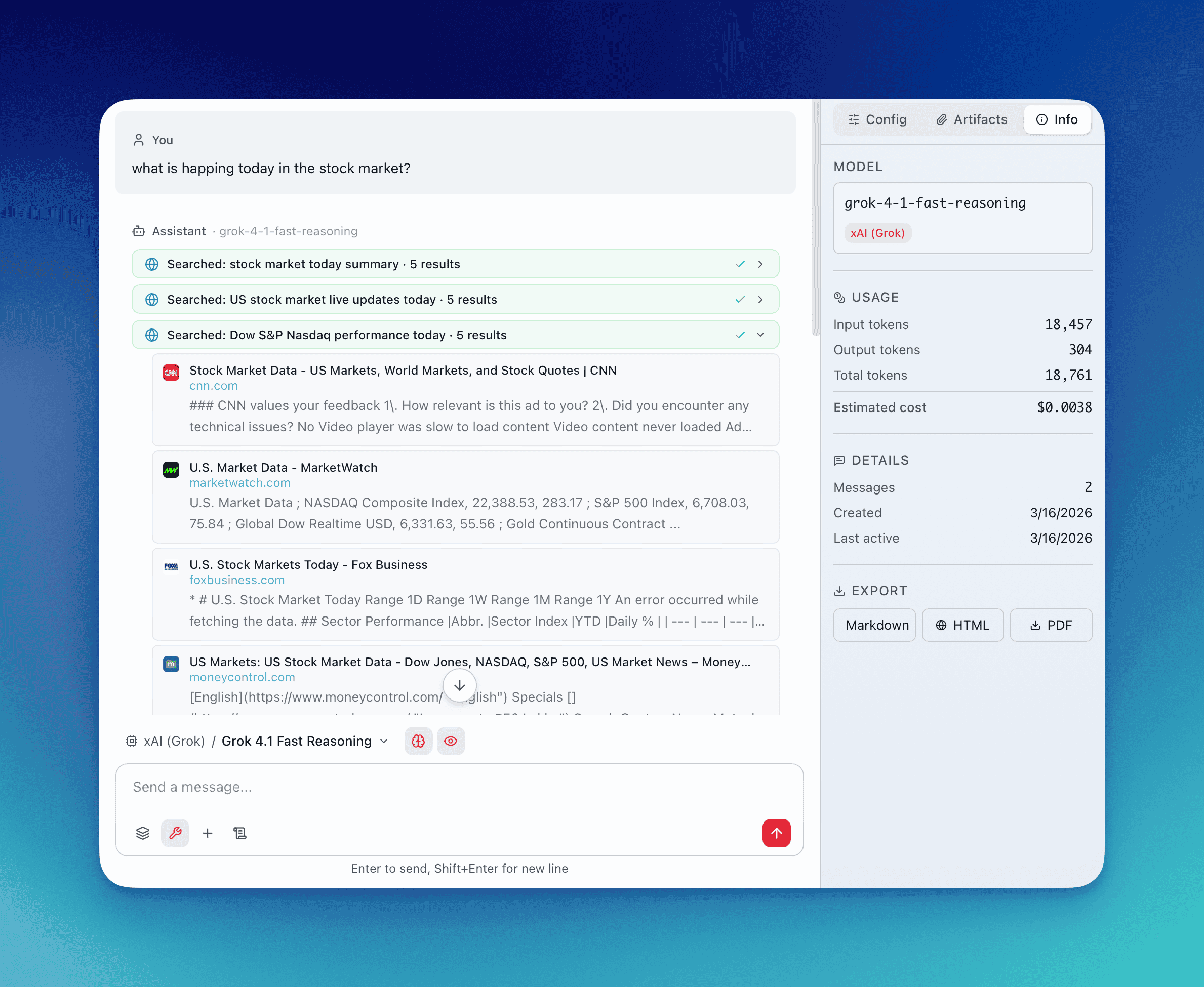
Local Browser Search
Section titled “Local Browser Search”Cost: Free. No API key required.
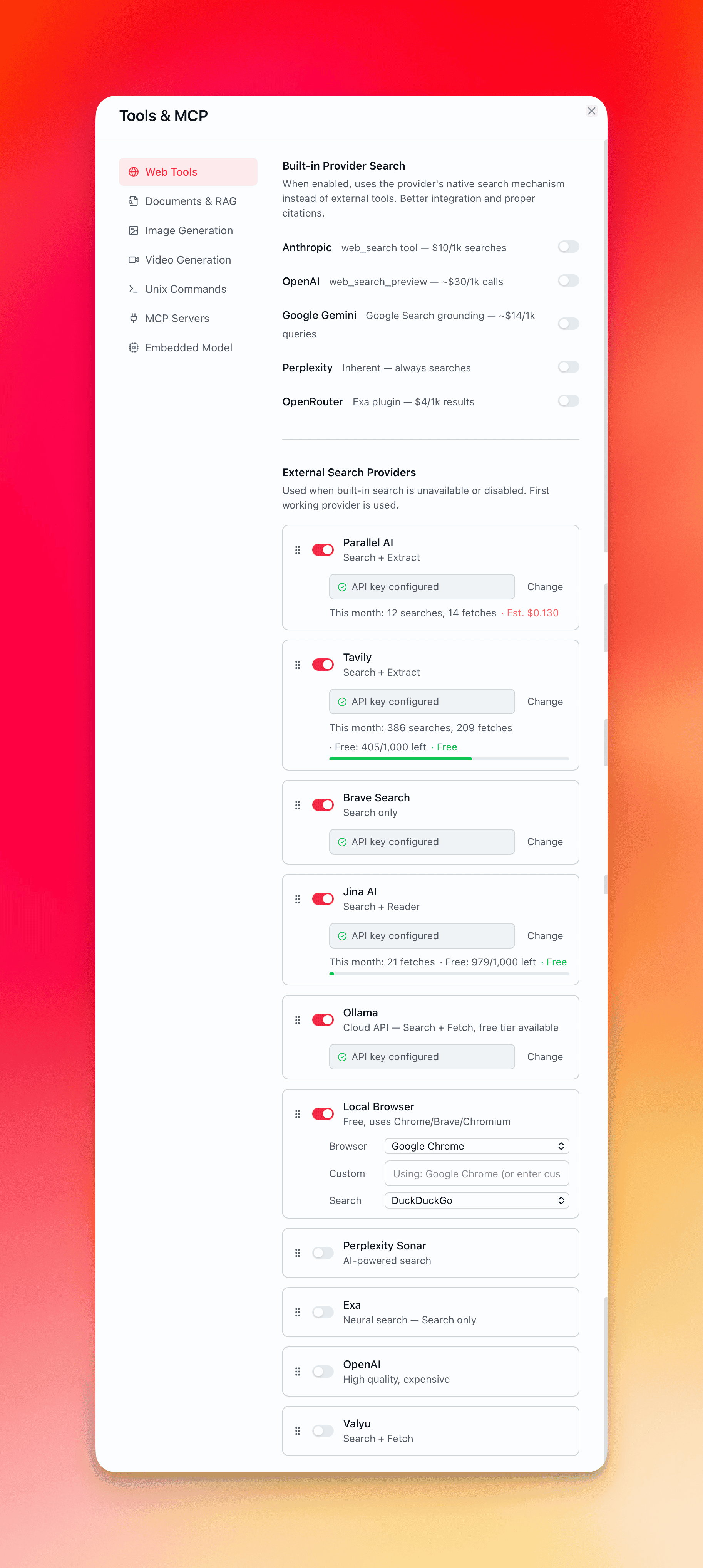
QARK launches a locally installed Chromium-based browser in headless mode to perform real searches. It auto-detects the first available browser on your system: Chrome, Brave, Edge, or Chromium. You can override this with a custom browser path in Settings.
Search engines: DuckDuckGo (default) or Bing (fallback). DuckDuckGo occasionally serves CAPTCHAs for automated requests — QARK detects this and falls back to Bing automatically.
How it works: The browser navigates to the search engine with your query, renders the full page including JavaScript, extracts and parses results, and returns them to the conversation. Each search has a 20-second timeout before falling through to the next provider.
Provider Built-in Search
Section titled “Provider Built-in Search”Several LLM providers offer native web search injected directly into their API calls. The model searches the web as part of its reasoning — no separate tool call required.
| Provider | Approximate Cost | Notes |
|---|---|---|
| Anthropic | ~$10 per 1,000 searches | Claude models with web search capability |
| OpenAI | ~$30 per 1,000 searches | GPT models with browsing |
| Gemini | ~$14 per 1,000 searches | Google’s Gemini with grounding |
| Perplexity Sonar | Included in token cost | Search is inherent to Sonar models |
| OpenRouter (Exa) | ~$4 per 1,000 searches | Exa plugin via OpenRouter |
Toggle per provider in Settings → Providers. Provider built-in search only works when no other tools are active in the conversation — provider search injection conflicts with standard tool-use formatting.
External Search APIs
Section titled “External Search APIs”Dedicated search services that return structured results. Each requires its own API key configured in Settings.
| Provider | Free Tier | Notes |
|---|---|---|
| Brave Search | Limited free tier | Privacy-focused, independent index |
| Exa | Limited free tier | Neural search, semantic understanding |
| Tavily | Limited free tier | Optimized for AI agents |
| Perplexity | Paid | Answer engine with citations |
| OpenAI | Paid | Web search via OpenAI API |
| Ollama | Free tier available | Local search capability |
| Jina | Limited free tier | Reader-optimized search |
| Parallel AI | Paid | Multi-source aggregation |
| Valyu | Paid | Enterprise search |
Priority and Fallback
Section titled “Priority and Fallback”All enabled search providers appear in a drag-to-reorder list in Settings. QARK tries them top to bottom:
- First provider in the list attempts the search
- If it fails (timeout, error, CAPTCHA, empty results), QARK falls through to the next provider
- First successful result wins — subsequent providers are skipped
- The process continues until a provider returns results or all providers are exhausted
Reorder the list to match your preferences: free options first to minimize cost, or premium APIs first for quality.
Usage Tracking
Section titled “Usage Tracking”The Settings UI displays stats for each search provider:
- Enable/disable toggle — activate or deactivate individual providers
- API key field — securely store credentials
- Searches this month — running count of searches made
- Free tier remaining — for providers with usage caps
- Estimated cost — calculated from search count and provider pricing